Skip to content
GitHubGet in touch
Product designer· Jun 2025 to now · live

Faves

An app for saving what you find on social media, where I’m the only product designer.

Role
Product designer
Team
A founder and one engineer
What I did
The audit and the design, in Figma. The engineer built it.
Built with
Figma, Notion
Only designer

on an app for saving social posts

Pro tier

onboarding and paywalls, shipped as designed

Week one

audit found a forced trial, since removed

Faves saves what you find on TikTok, Instagram, YouTube and X into folders. I joined in June 2025 as its only product designer, just before a Pro tier launch, and spent my first week going through the whole app as a new user would.

The biggest problem was a forced trial. You had to start one before you’d seen what the app could do. Smaller ones added up too, like missing empty states, paywalls at the wrong moment (one said your storage was full when it wasn’t) and shared folders that were hard to find. Some were fixed right away, and the forced trial was gone later that summer. Then I designed the Pro tier around the same list, and the team’s engineer built it.

01

The app first, the trial later

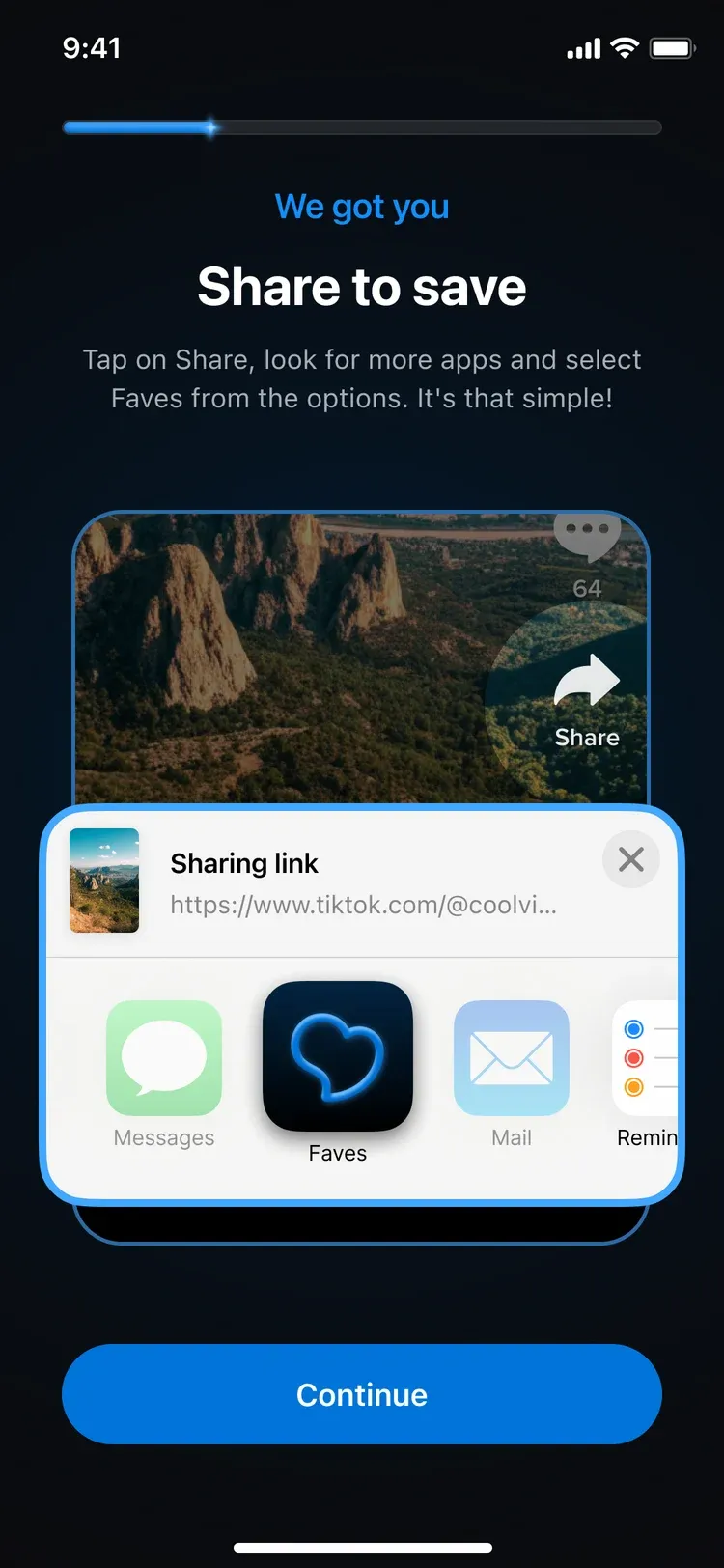
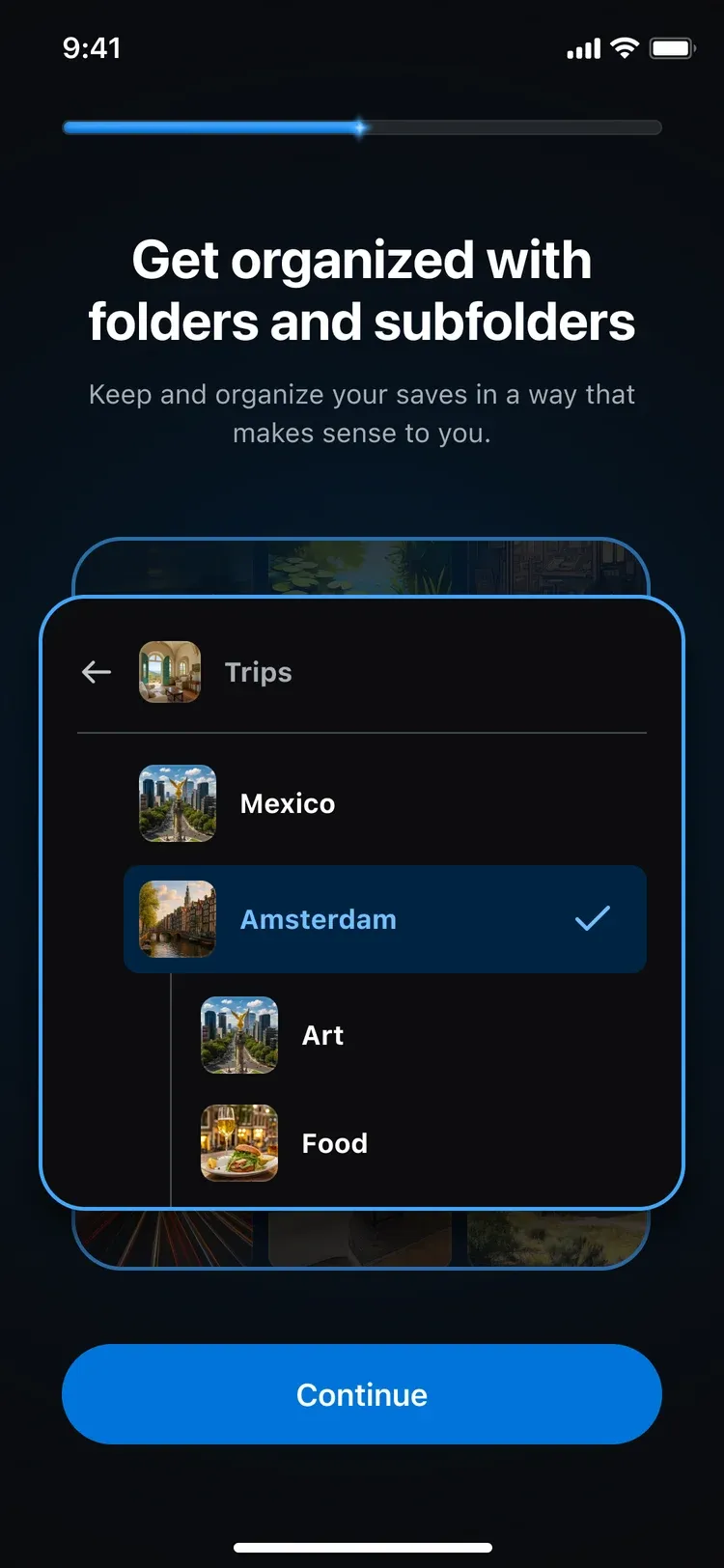
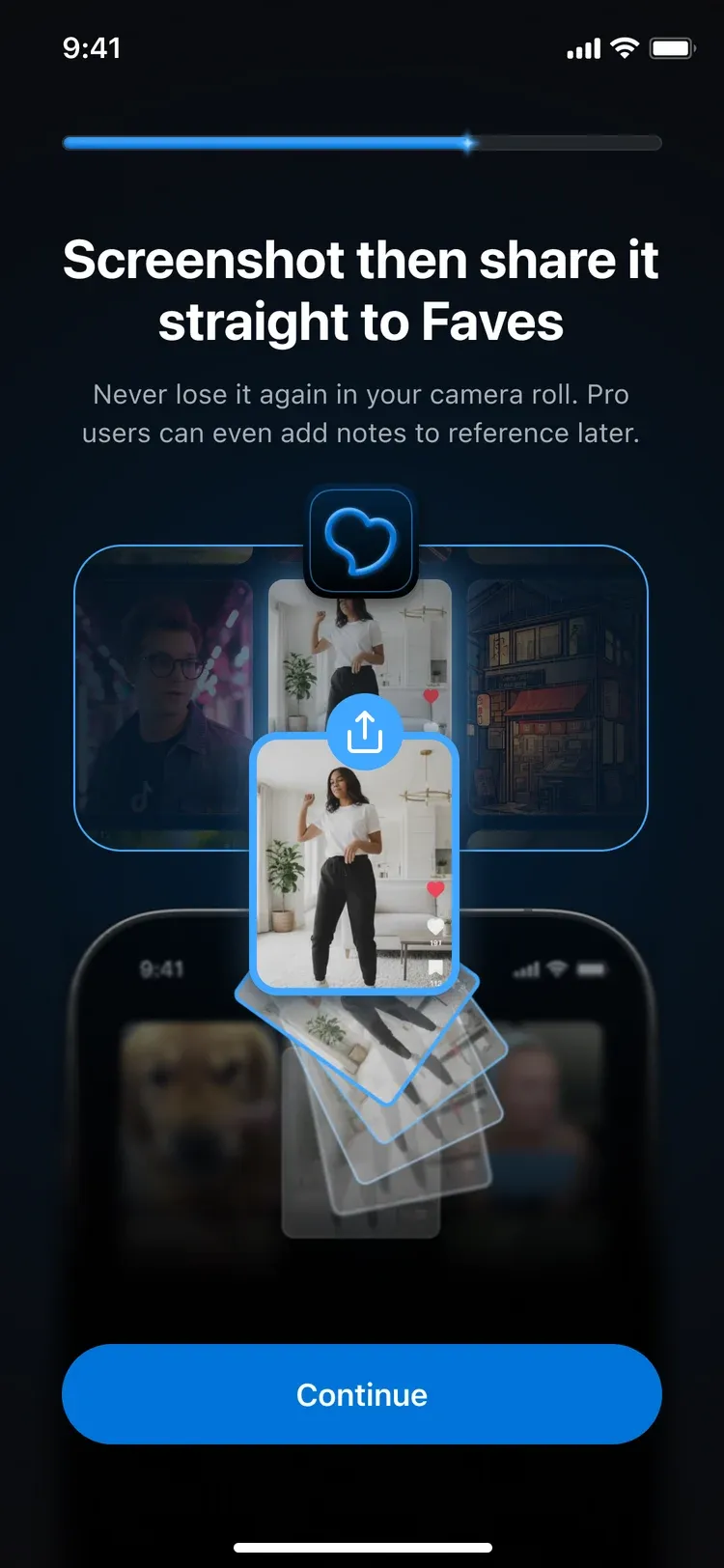
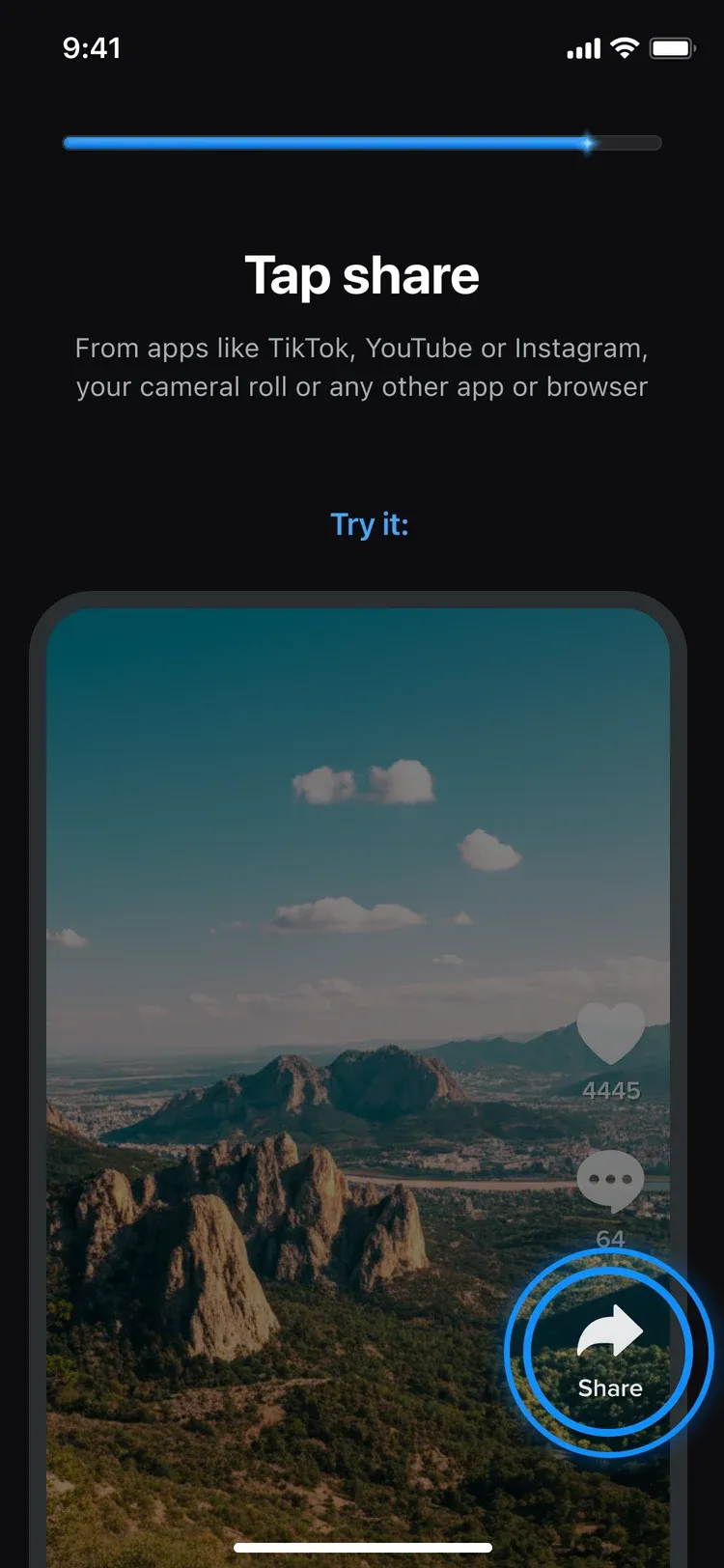
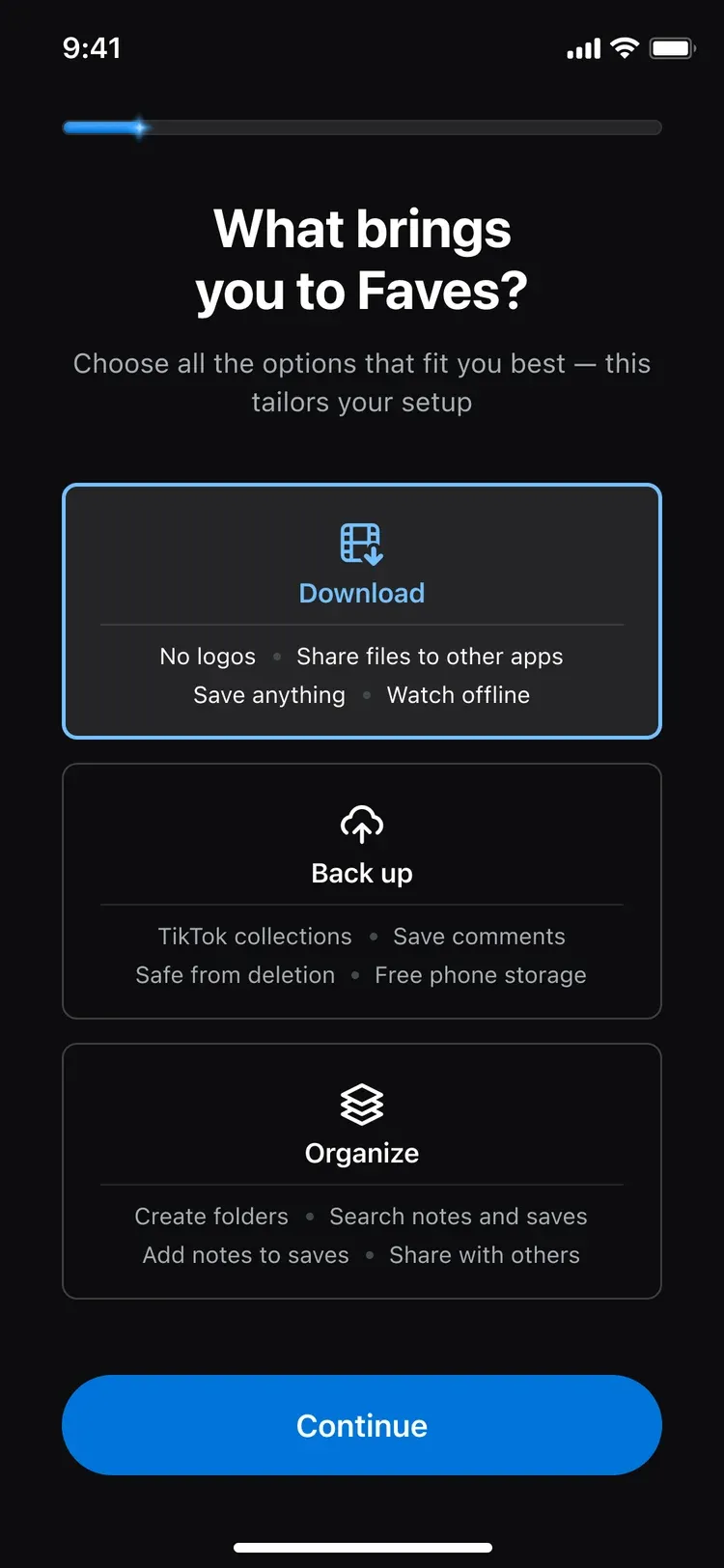
The onboarding now shows the app first, and the free week comes later, on the paywall. It’s a short carousel that asks what brought you here, shows the three ways to save (share from another app, sort into folders, screenshot and share), lets you try sharing a real post, and only then asks for an account.
Onboarding
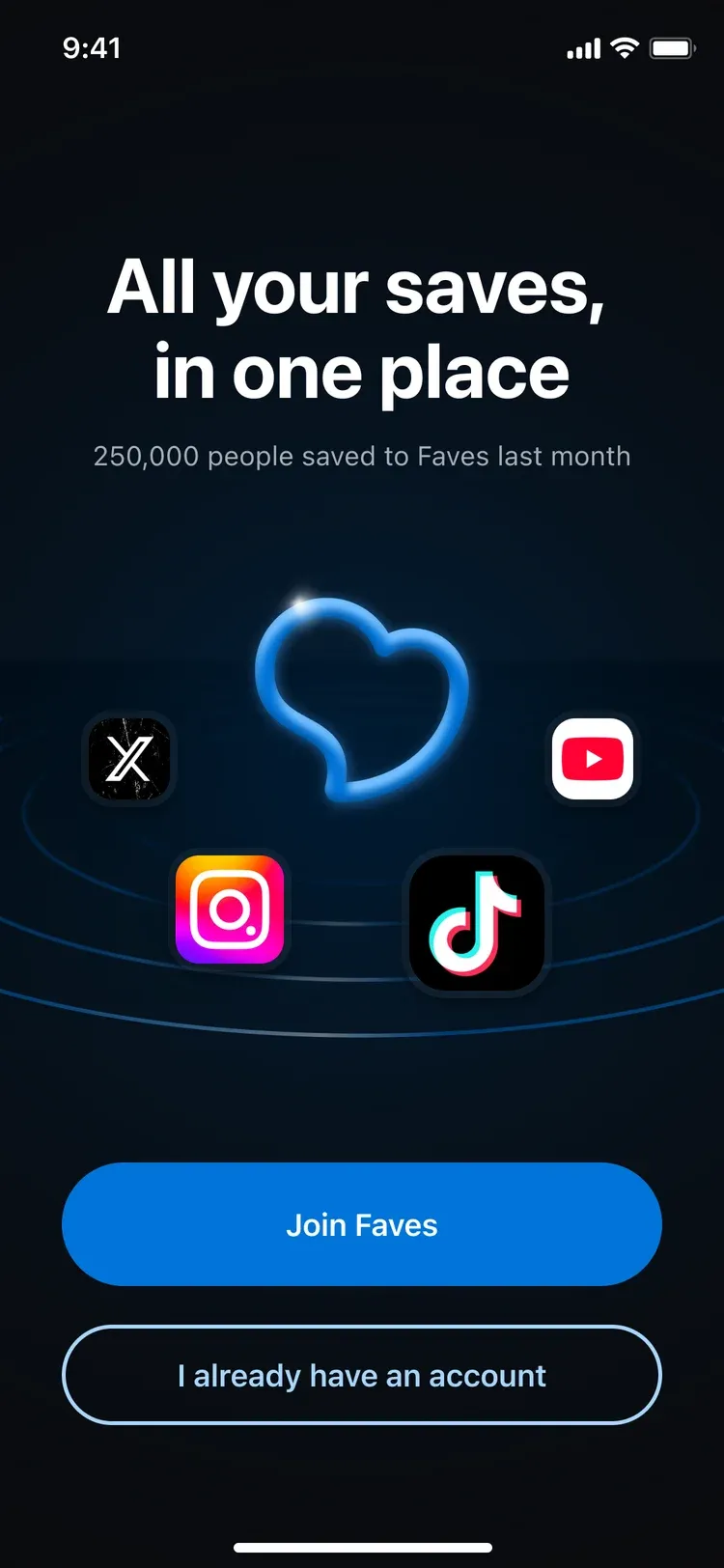
The Faves splash screen: All your saves, in one place, a glowing blue heart surrounded by the X, YouTube, Instagram and TikTok icons.
Splash
Onboarding step 1, What brings you to Faves? Choose all the options that fit you best. Download, Organize, Collaborate and Discover, as cards.
What brings you here
Onboarding, Share to save: a TikTok video with the iOS share sheet open and the Faves app highlighted among the options.
Share to save
Onboarding, Get organized with folders and subfolders: a Trips folder open with Mexico and Amsterdam inside, and Art and Food nested under Amsterdam.
Folders
Onboarding, Screenshot then share it straight to Faves: a screenshot with the Faves icon glowing over it.
Screenshots
Onboarding, Tap share, from apps like TikTok, YouTube or Instagram, with a Try it prompt over a sample post.
Try it: tap share
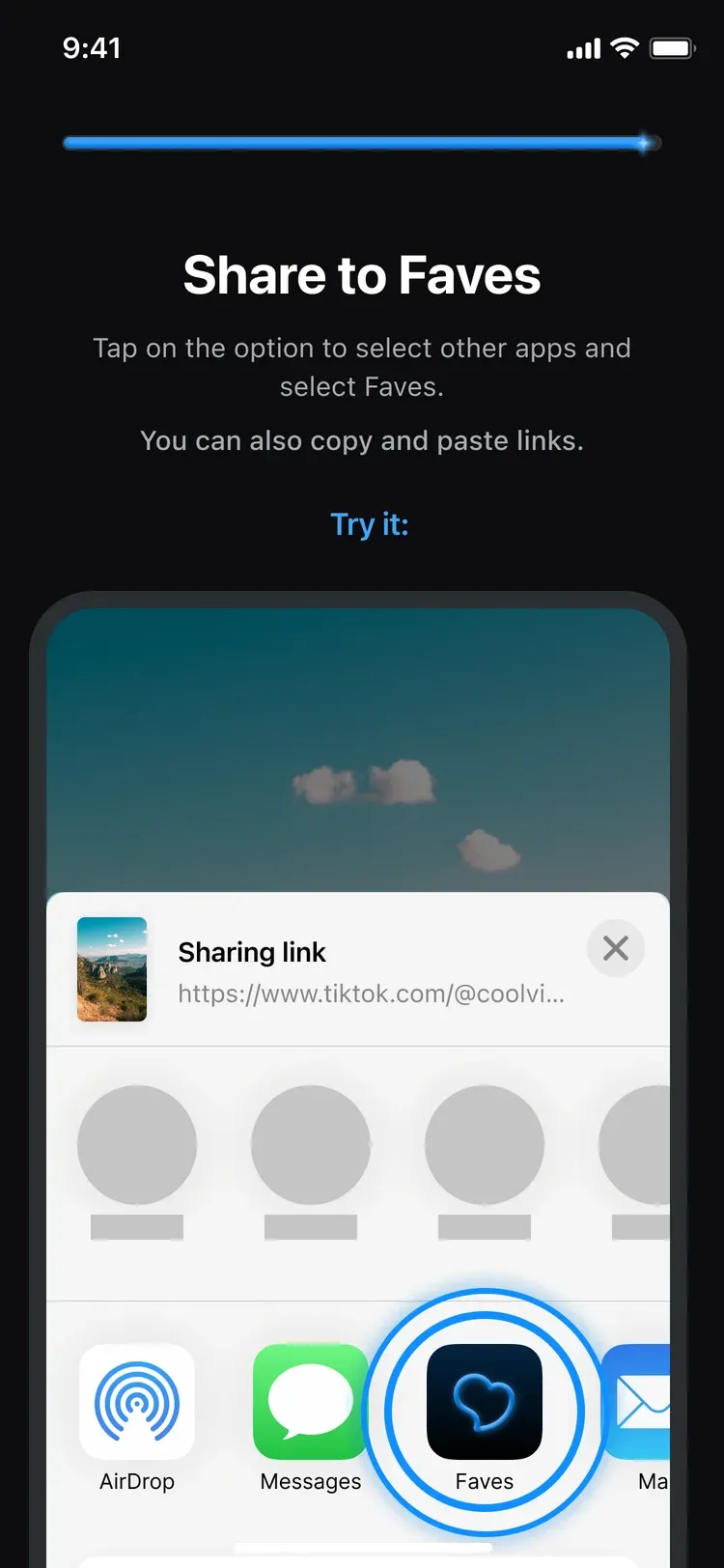
Onboarding, Share to Faves: tap the option to select other apps and select Faves, you can also copy and paste links.
Try it: pick Faves
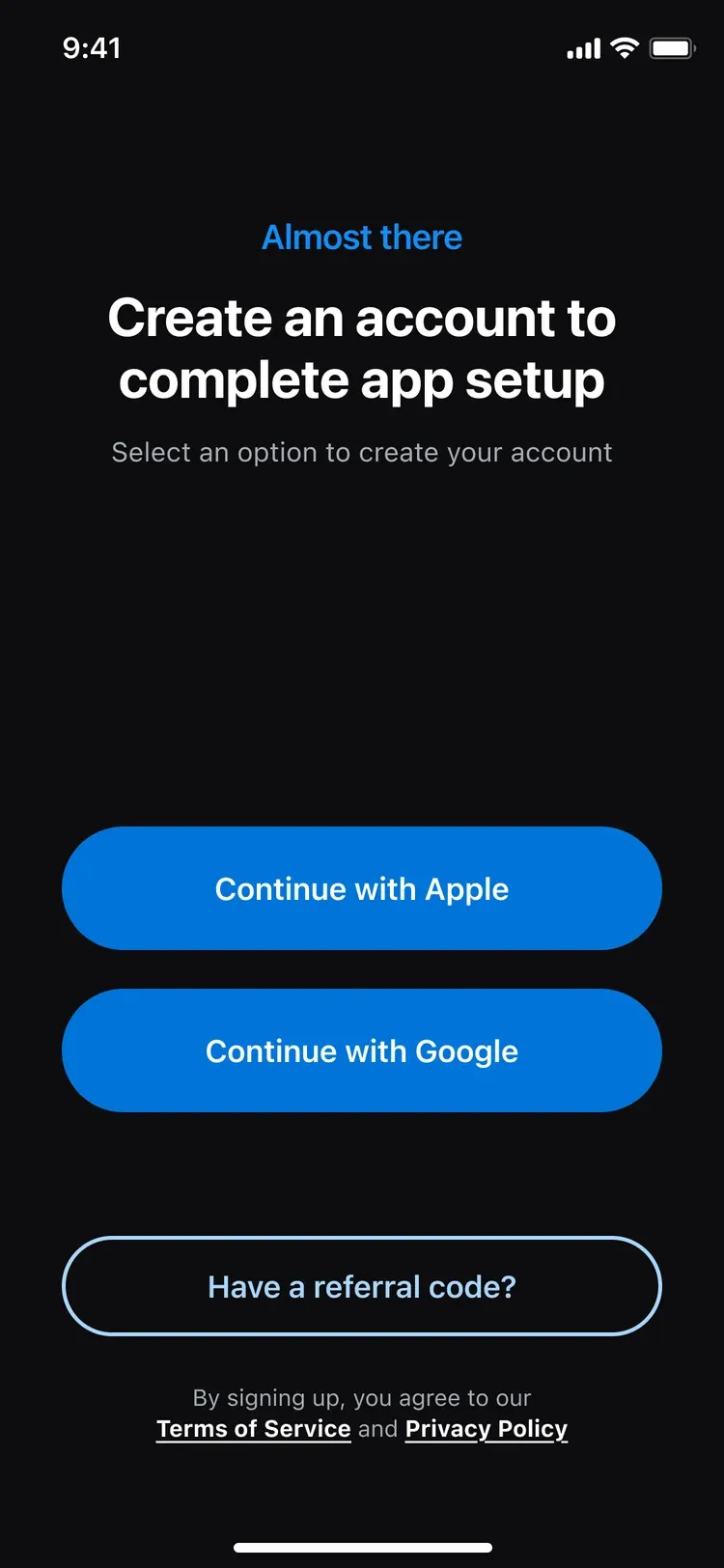
Almost there, Create an account to complete app setup, with Apple, Google and email as options.
Create an account
The onboarding carousel, from the Figma file. Each step has a progress bar at the top, and the two Try it steps let you share a real post before you sign up.
02

Making sharing easy to find

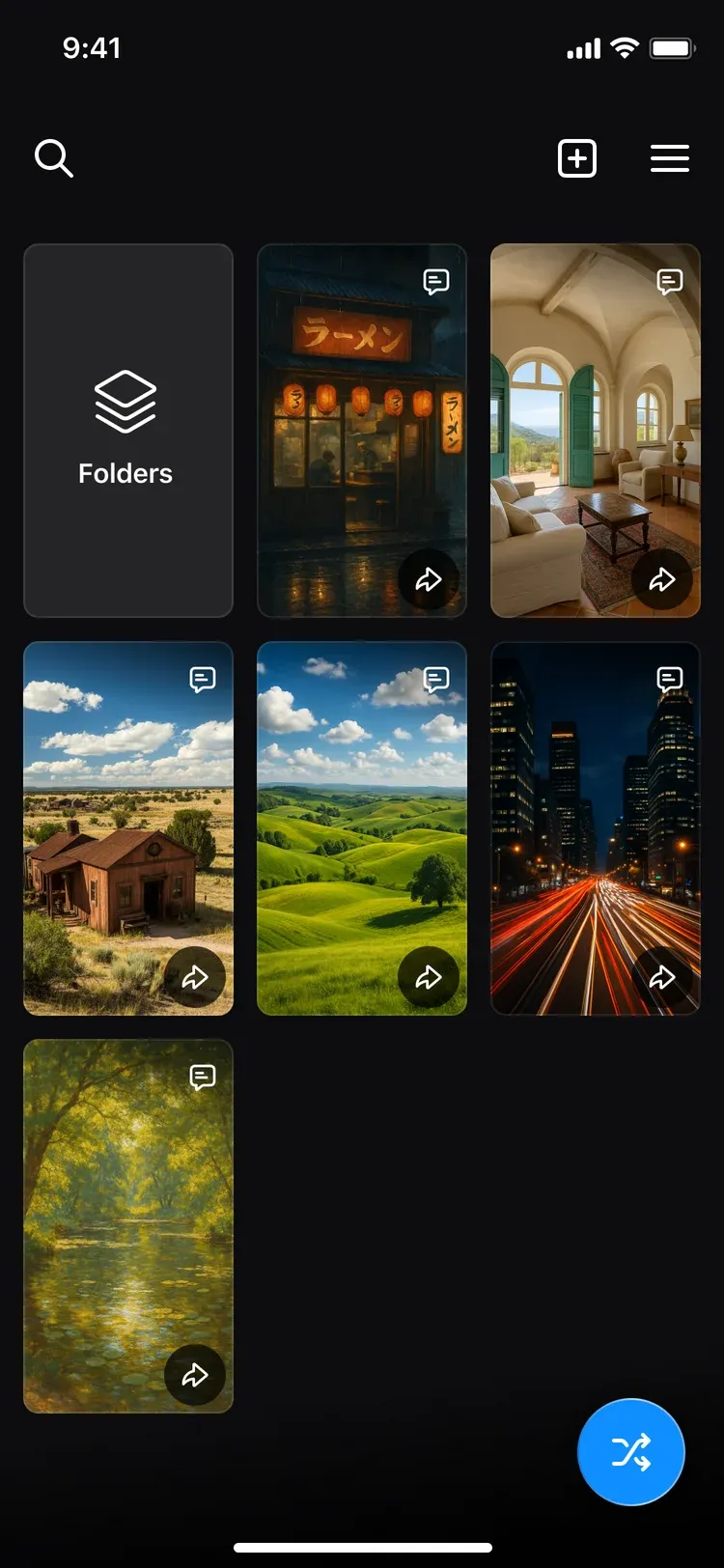
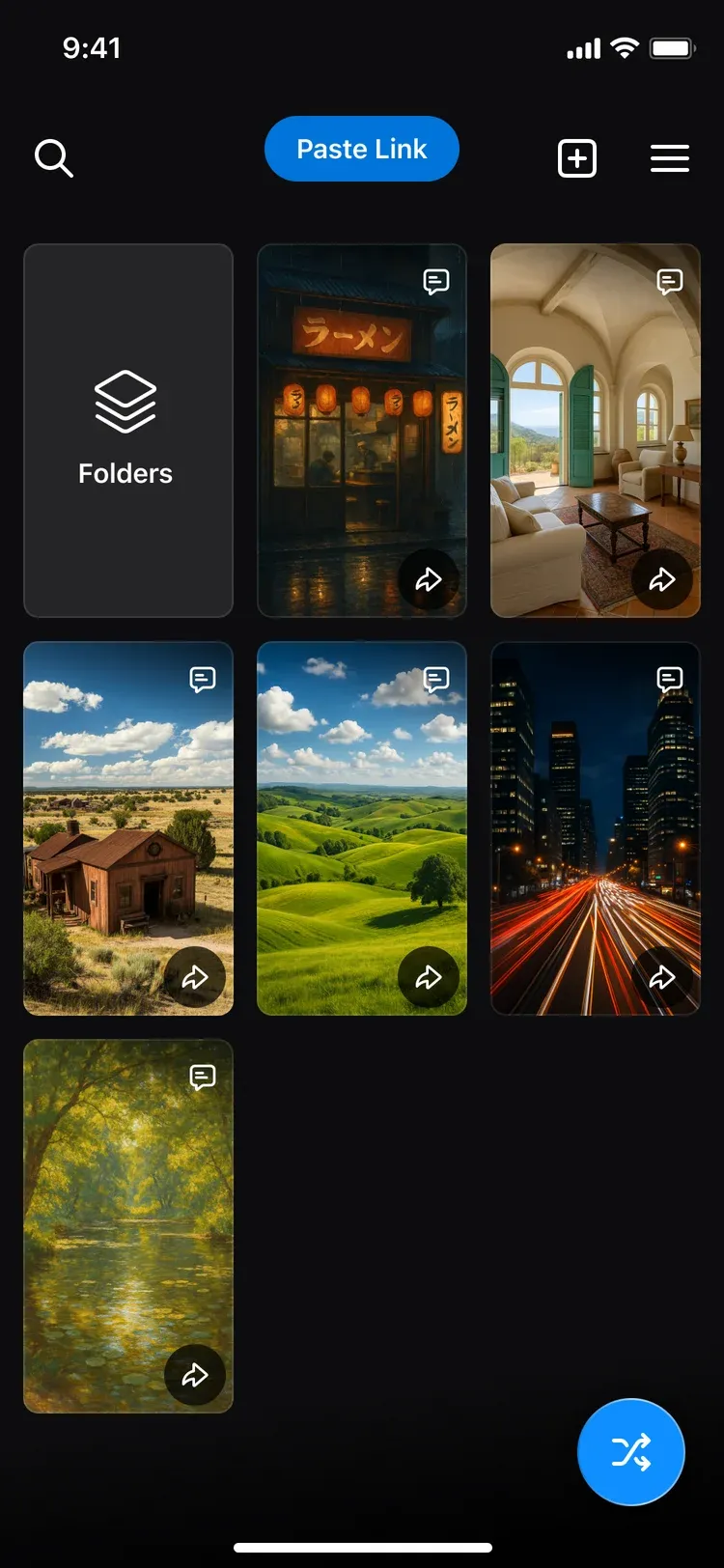
Home is a grid of your saves, folders first. Copy a link in another app and come back, and a Paste Link button appears at the top. Folders hold subfolders and can be shared with an invite link. The audit had found sharing hard to find, so the collaborators now sit in the folder header, next to the share button.
Home and folders
The Faves home: a search icon, add and menu buttons, a Folders tile and a grid of saved posts, a ramen shop and a sunlit living room.
Home
The same home with a blue Paste Link button at the top, shown when there is a link on the clipboard.
Paste link
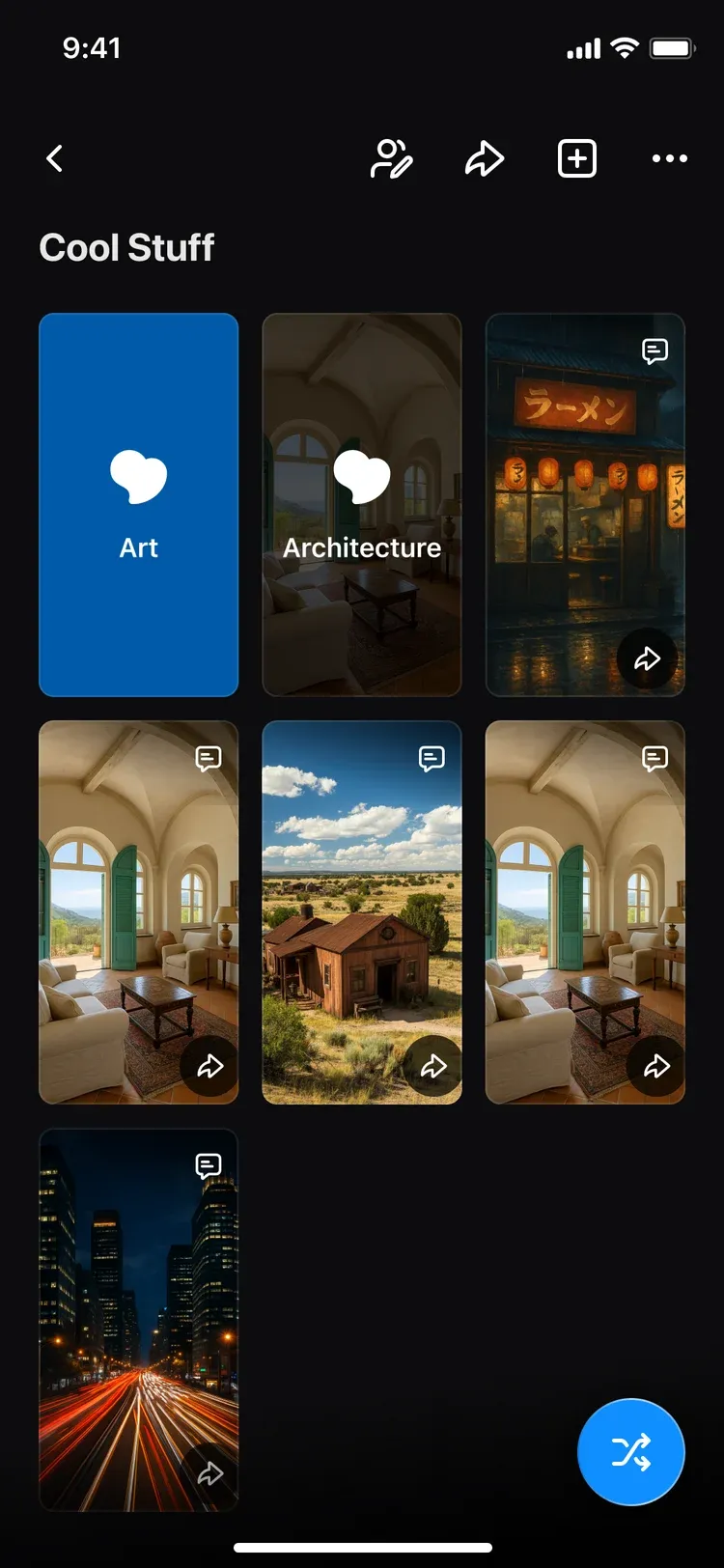
The Cool Stuff folder with two subfolders, Art and Architecture, ahead of the saves, and the collaborators icon in the header.
A folder
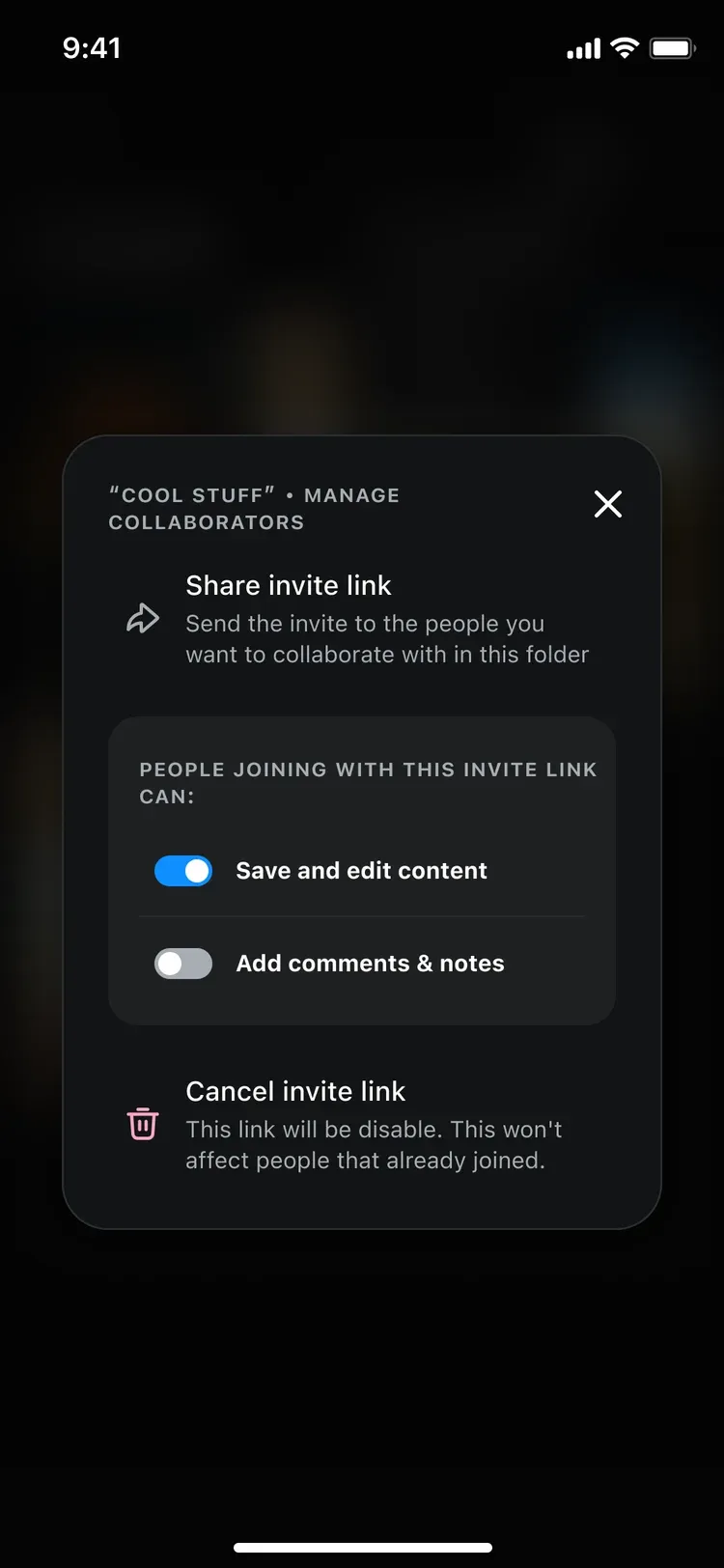
A Manage collaborators sheet over the folder: Share invite link, send the invite to the people you want in the folder.
Invite link
Home, the Paste Link shortcut that shows up when there is a link on your clipboard, a folder with its subfolders, and the invite sheet.
03

Paywalls that say why

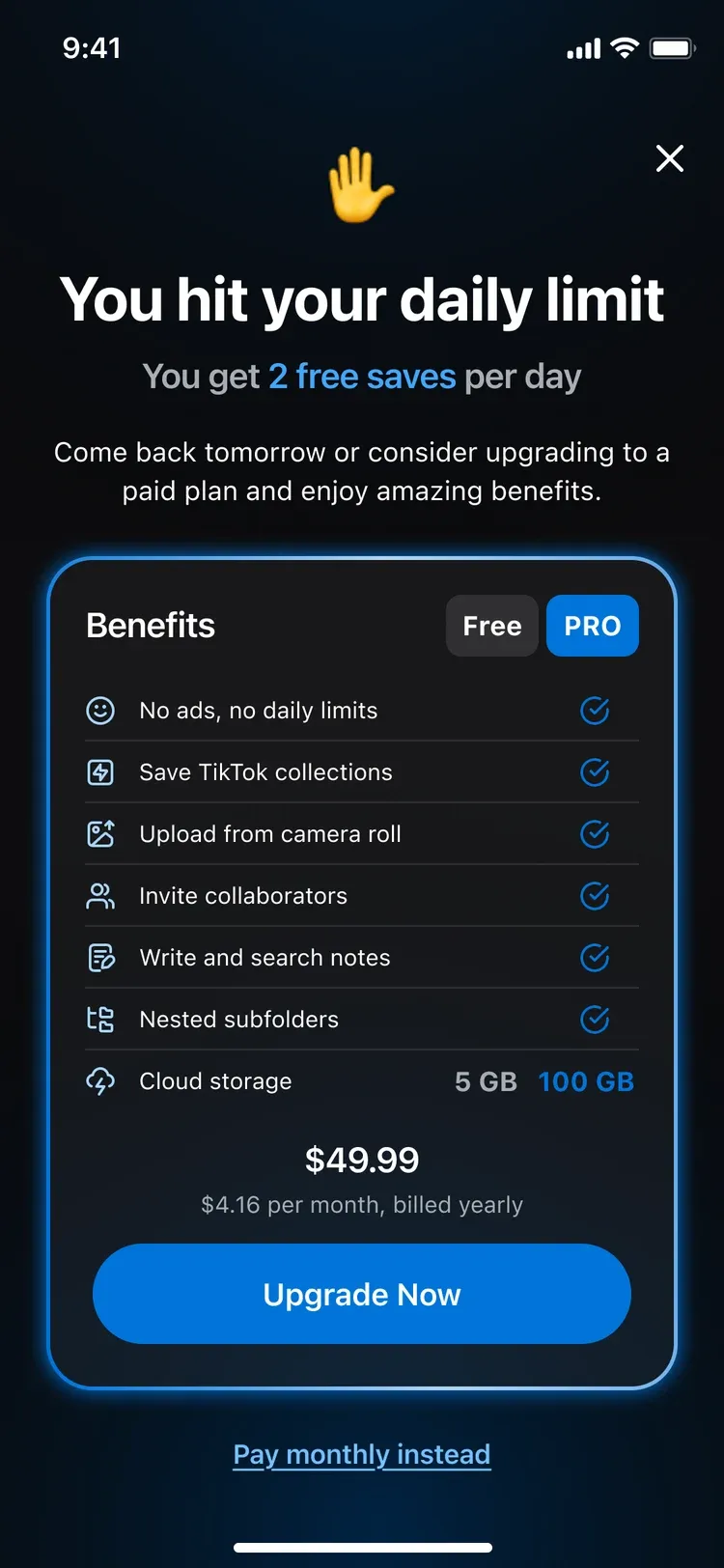
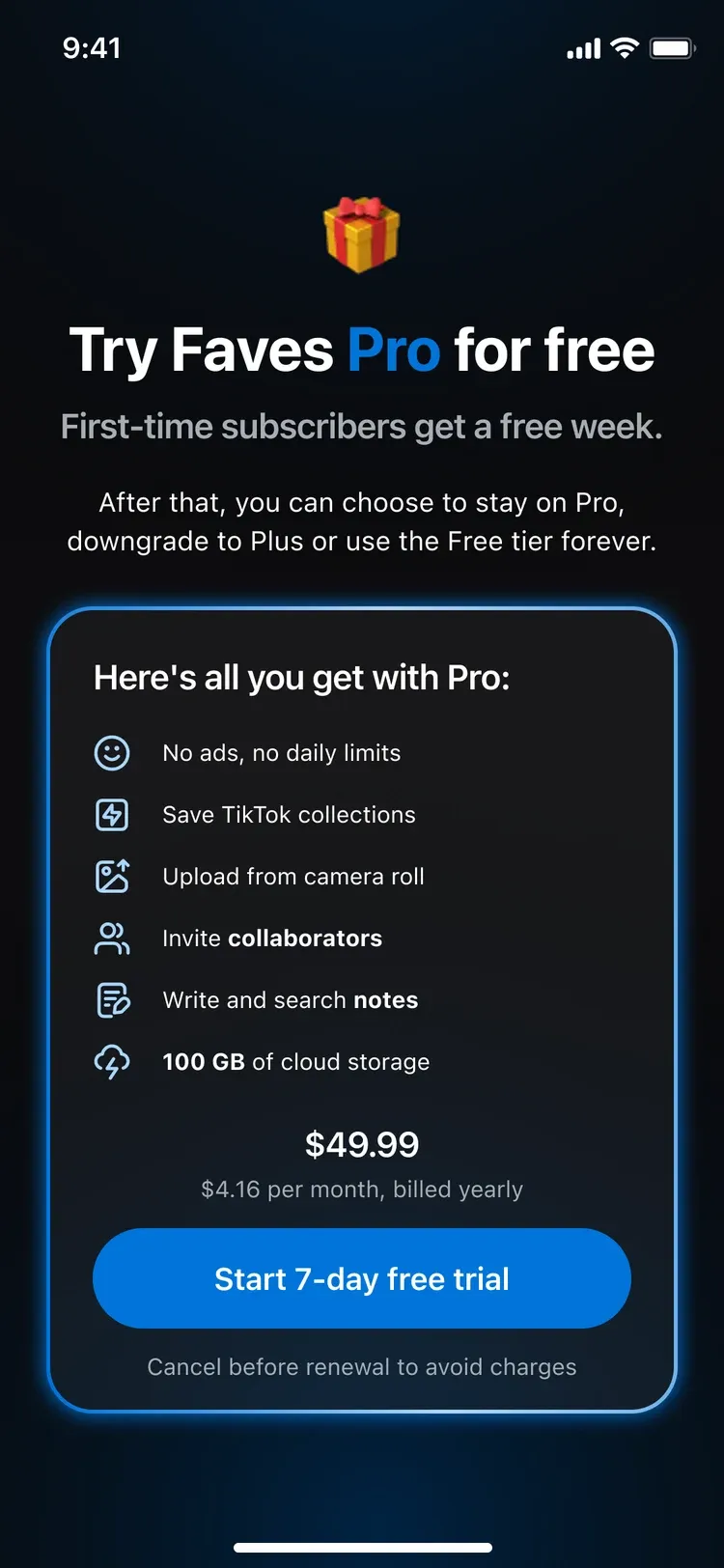
The trial paywall offers a free week, its button says what you pay today, which is nothing, and a second button lets you pick a cheaper plan or stay on Free. Later the cheaper plan was folded into Pro, which made the choice simpler.

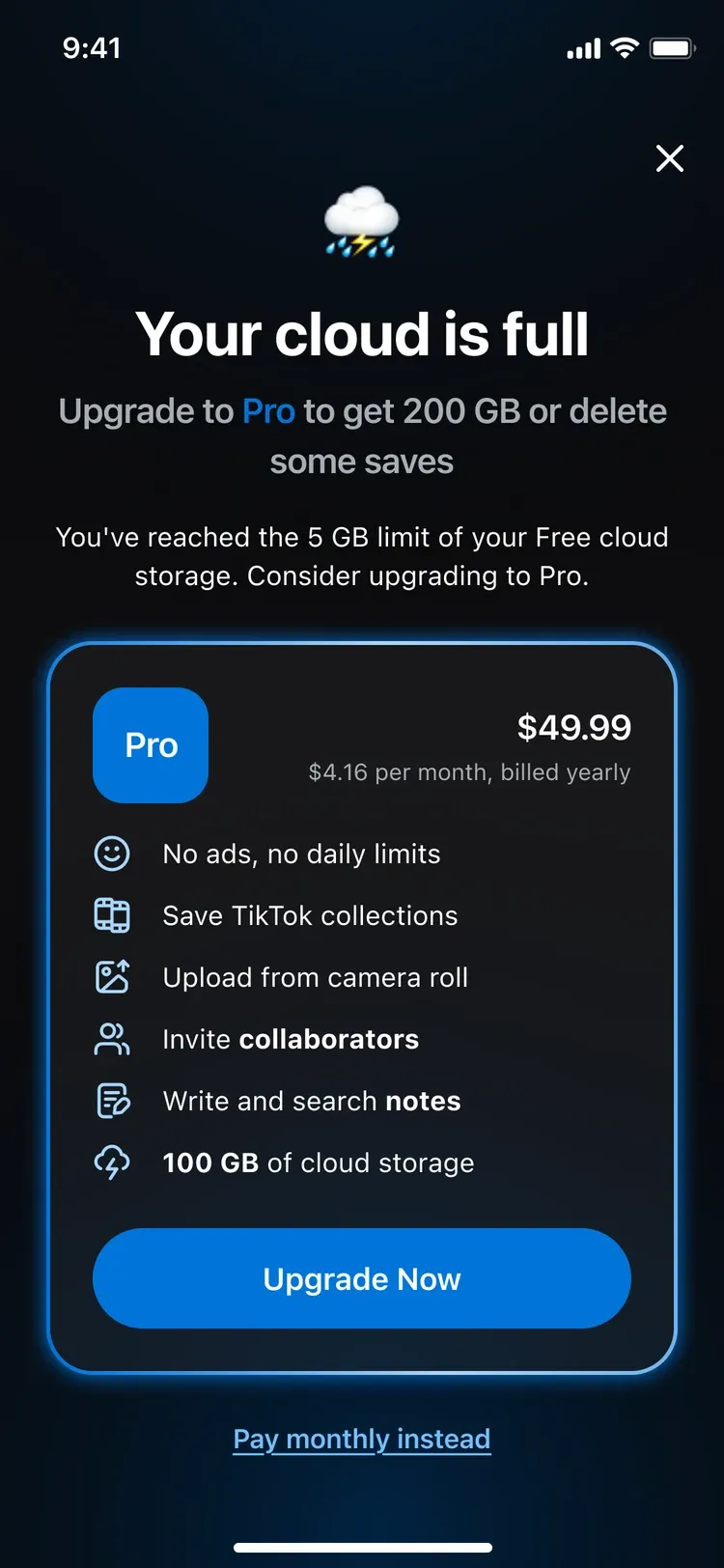
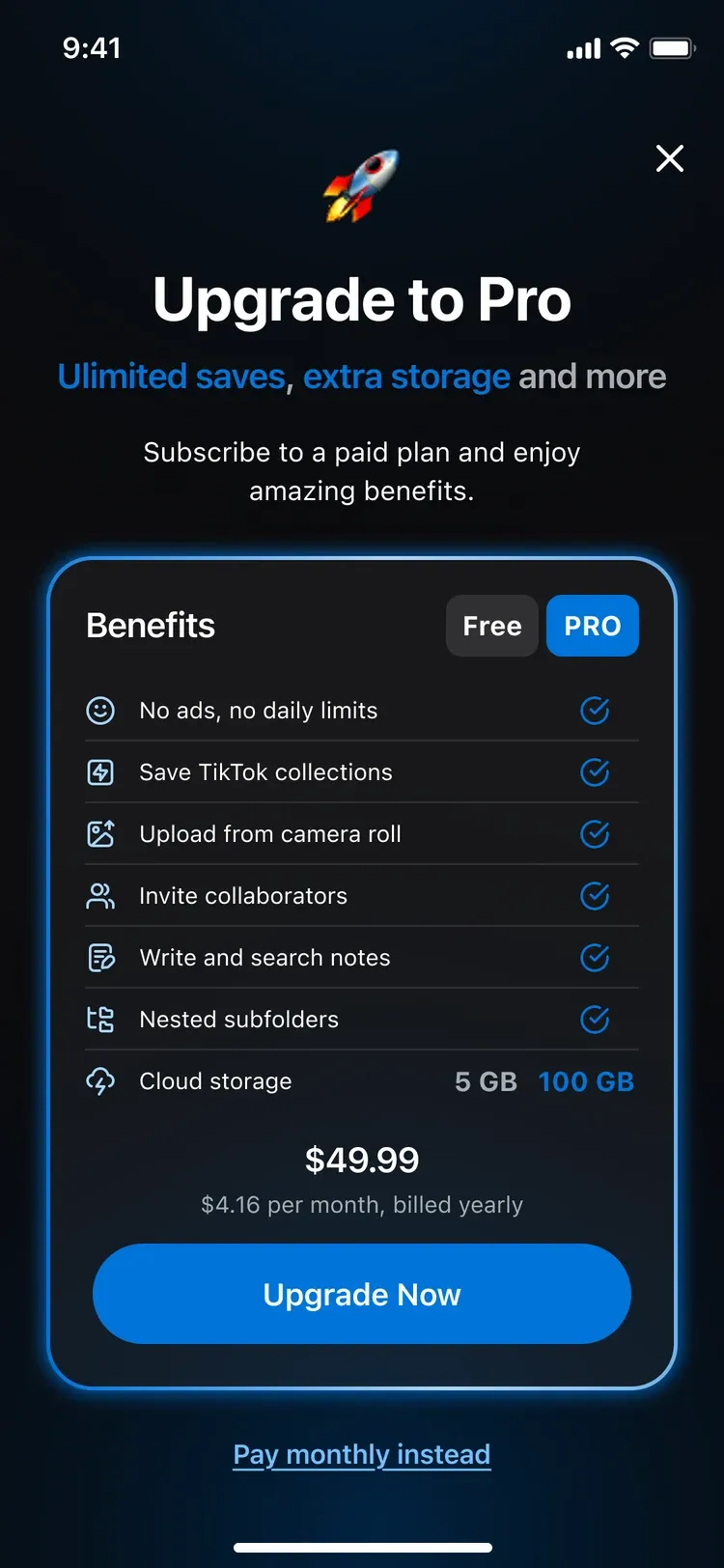
The other paywalls only show up after something you did. Each says why you’re seeing it (the daily limit, a full cloud, a Pro feature) and compares Free and Pro in the same table.
Paywalls
Try Faves Pro for free: first-time subscribers get a free week, after that you can stay on Pro, downgrade to Plus or use the Free tier forever.
The trial
Upgrade to Pro: unlimited saves, extra storage and more, with a Benefits table comparing Free and Pro.
Upgrade
You hit your daily limit: you get 2 free saves per day, come back tomorrow or consider upgrading, with the Benefits table.
Daily limit
Your cloud is full: upgrade to Pro to get 200 GB or delete some saves, you have reached the 5 GB limit of your Free cloud storage.
Storage full
The trial paywall and three contextual ones. The same Benefits table sits under each, so only the reason changes.

Faves also runs a small venture studio, where I design and build. That work has its own page.

Next caseBroadcast RadarMedia monitoring for Agência Estado. Type what to track, get the coverage sorted by tone.Read the case →