Skip to content
GitHubGet in touch
Senior product designer· 2016

VivaReal geosearch

Search by street or landmark, and a map you browse with the places around each listing.

CompanyVivaReal

VivaReal is a real estate portal in Brazil. I was the senior product designer on the “virtual city” squad, the team behind searching by place. I explored and tested new ways to search and browse results, refined the requirements with the product manager and followed the front-end build.

Search only understood districts back then. If you wanted to live near your office, or on a particular street, you picked the district and scrolled. We rebuilt it so you could type a street or a landmark, like MASP, and get the homes on that street first and the ones around it below a divider, with a toggle to see only the street.
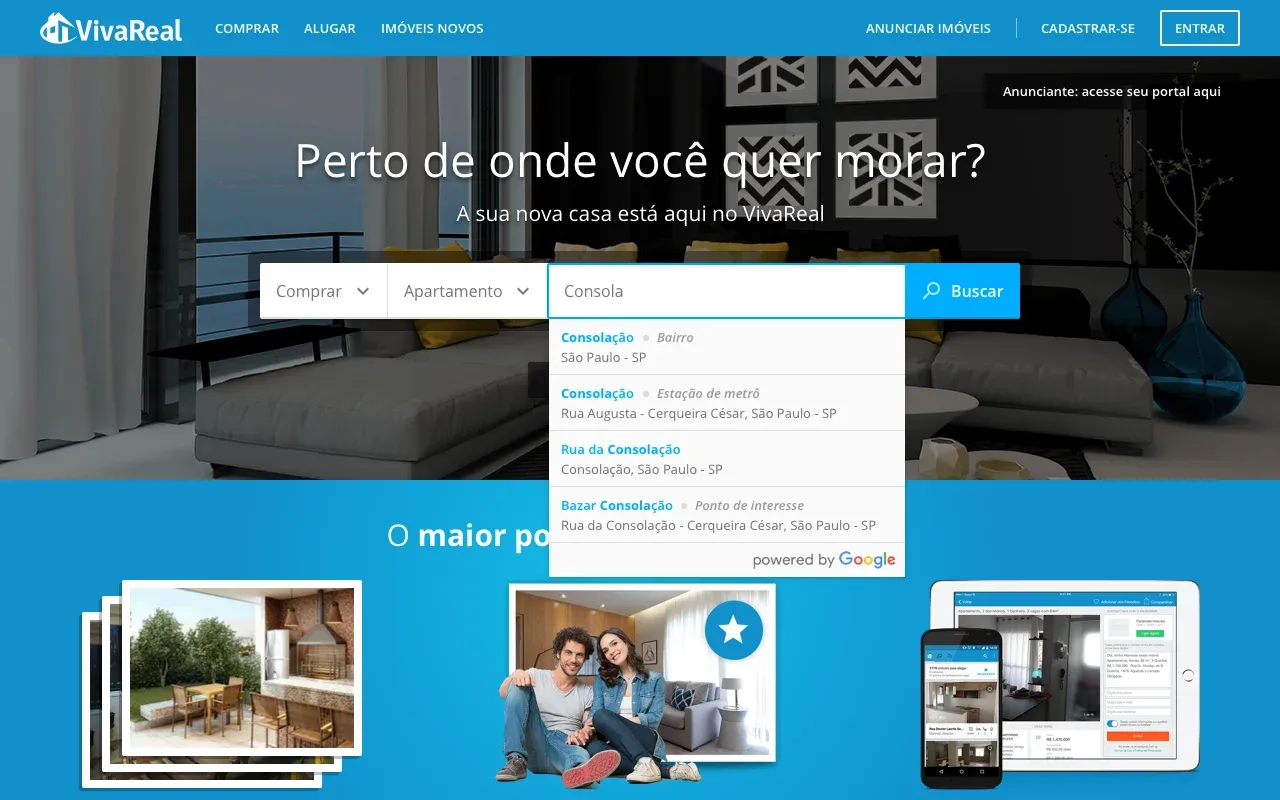
The VivaReal home page with the search box open and the autocomplete showing streets and points of interest for the letters typed, each with its district and city.
The new autocomplete on the home page suggests streets and points of interest, with the district under each one.
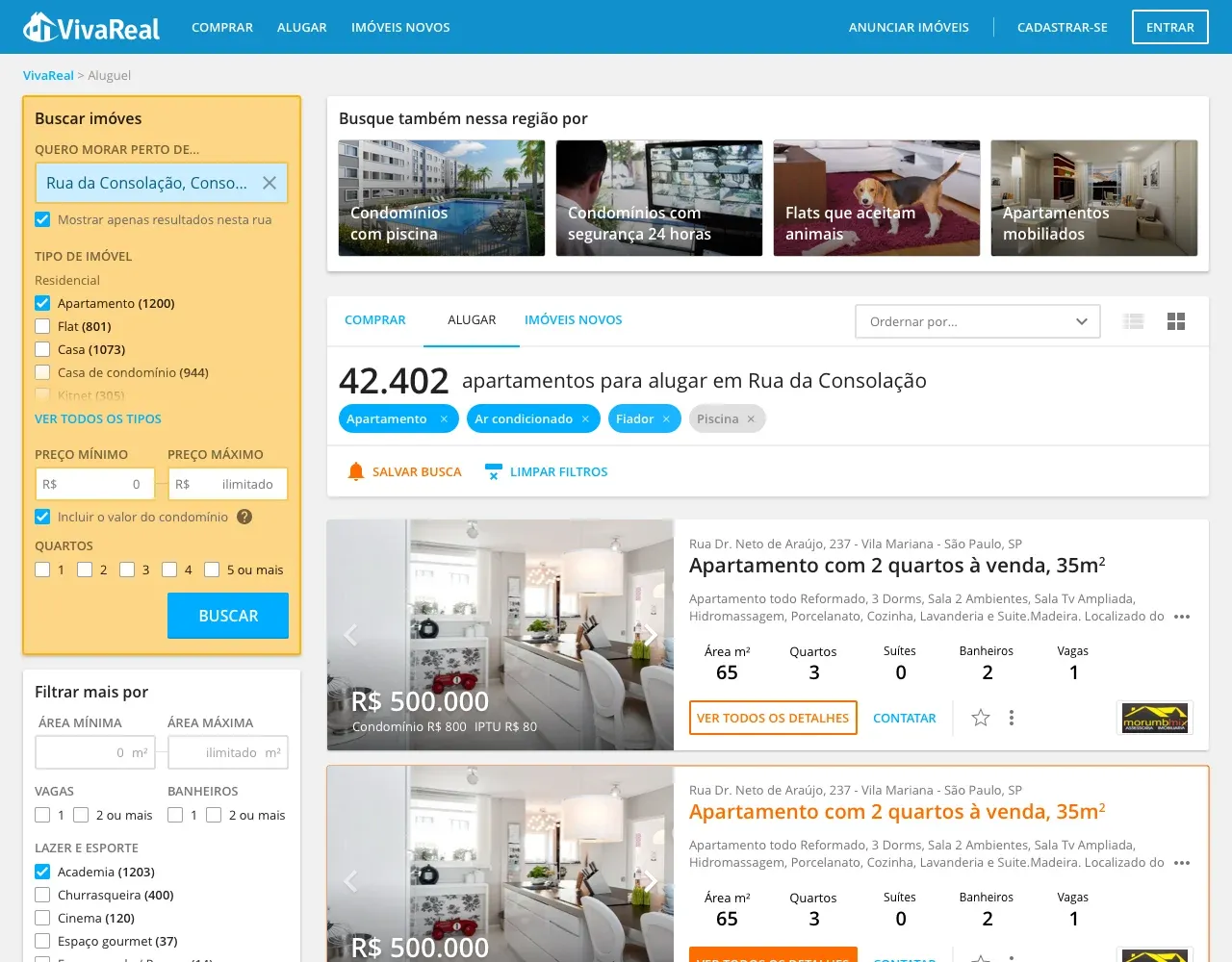
Results for apartments to rent on Rua da Consolação and nearby. 42,402 results, the filters on the left with the toggle Mostrar apenas resultados nesta rua switched on, and listing cards with photos, area, rooms and price.
Results for a street. The toggle on the left, Mostrar apenas resultados nesta rua, narrows it to the street itself.

The map view came with it. Results show as price pins you can hover and click, the filters stay on top, and for any listing you can turn on the points of interest around it, metro stations, schools, hospitals. We designed it for desktop, tablet and phone, with a short onboarding the first time you opened it. Both Geosearch, the street and landmark search, and Map View shipped in the last quarter of 2016.
Shipped
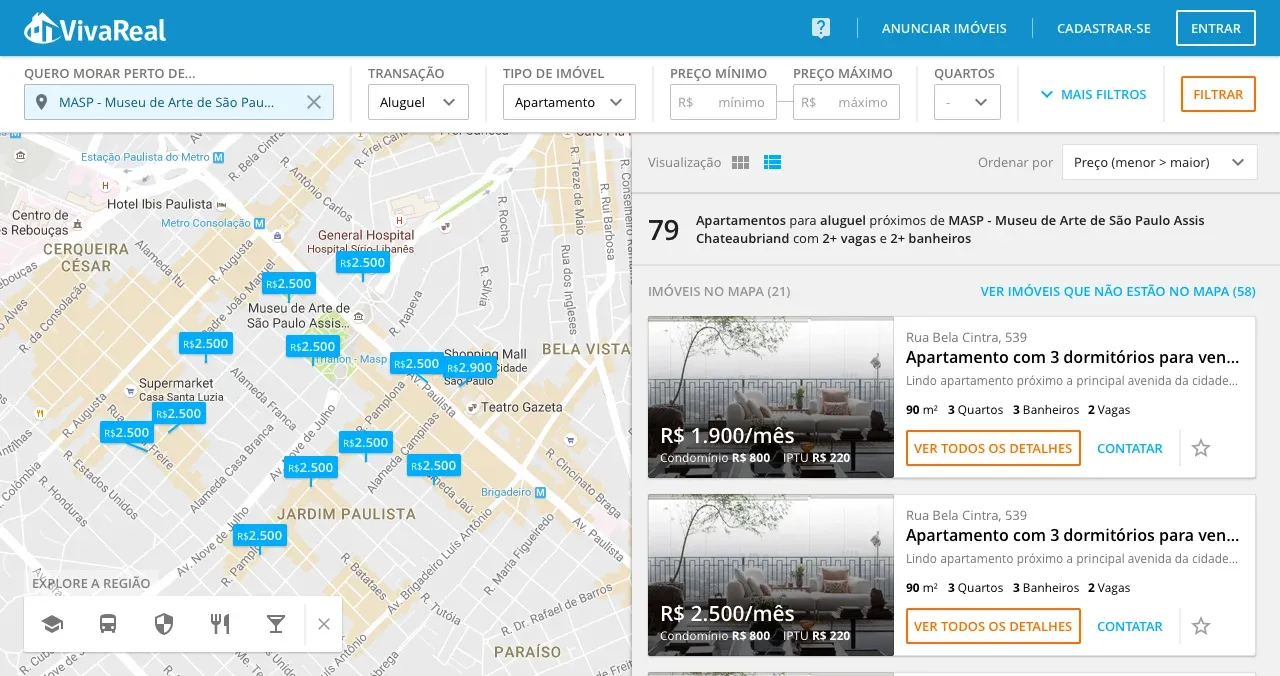
The map view on desktop. A map around MASP with price pins, the filter bar on top, the listings in a column on the right, and the points of interest around a listing turned on, with metro, schools and hospitals marked.
The map view with the points of interest turned on for a listing.
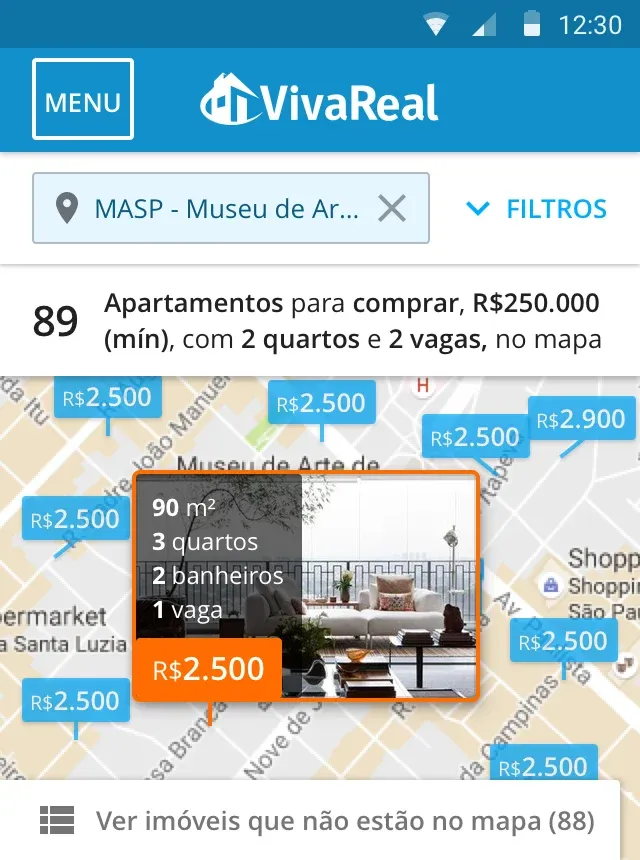
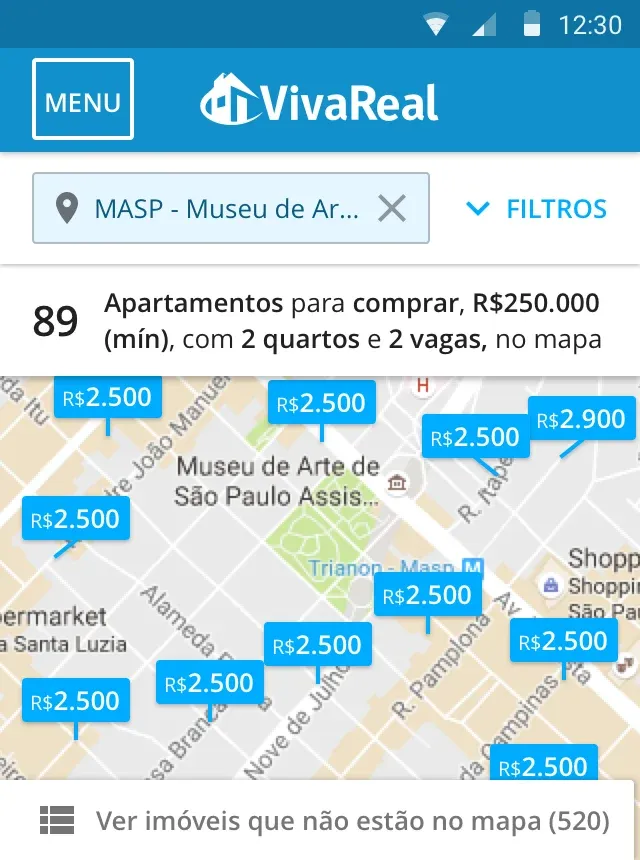
The VivaReal map view on a phone. MASP in the location field, a Filtros button, 89 apartments to buy from R$250.000, and the map with price pins around the museum.
Results
The same map with a pin tapped. A small card over the map with the apartment’s photo, 90 m², 3 rooms, 2 bathrooms, 1 parking space and the price.
A pin tapped
The map view on a phone: the results around MASP as price pins, and a pin tapped to show the listing.
Next in the archiveMotorola FM RadioI redesigned Motorola’s FM Radio app with the research team, and its rating went from 2 to 4 stars.Read it →