Skip to content
GitHubGet in touch
Senior product designer· 2015

Motorola Dual SIM

A setup wizard that asks what you need two SIMs for, and sets the phone up for it.

CompanyMotorola

Dual SIM phones were becoming standard at Motorola in 2014 and 2015, and I owned that experience on top of stock Android. Stock Android gave you two slots and a settings page, and no help deciding what each SIM should do.

With the UX research team I worked out when two SIMs are actually useful. It came down to a few cases, one SIM for work and one personal, a main one and an occasional one for cheaper calls, or letting the phone pick the best SIM for each call. So the setup wizard asks which of those you are, then walks you through the few choices that matter, which contacts go with which SIM, which one carries data and your carrier’s long-distance prefix, and sets up the rest.
Shipped
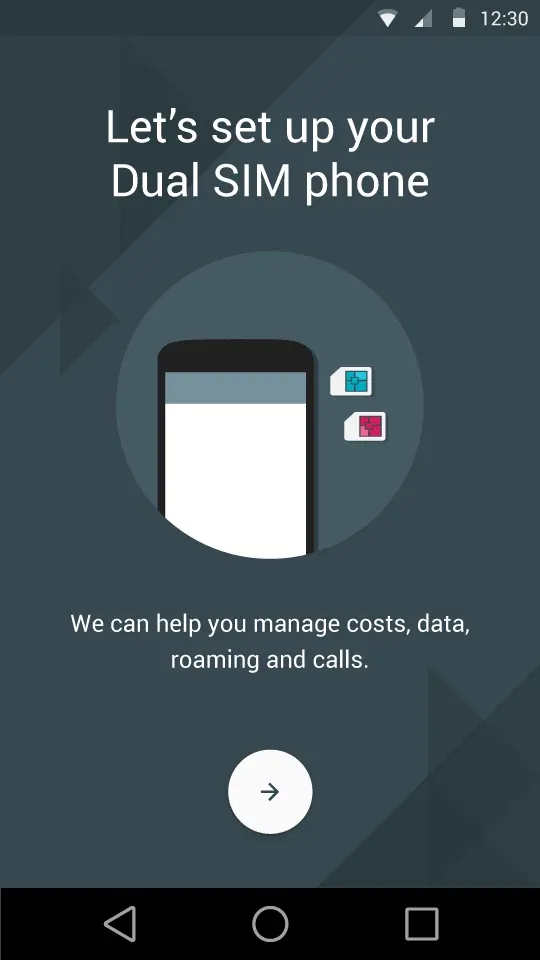
Let’s set up your Dual SIM phone, over a dark patterned background with a phone illustration, and a line saying we can help you manage costs, data, roaming and calls, with an arrow to continue.
Welcome
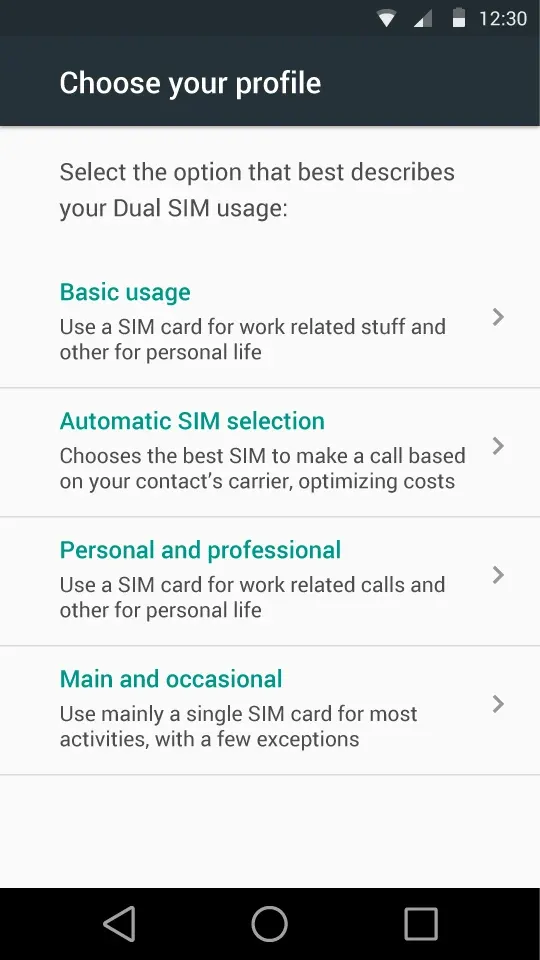
Choose your profile. Four options, each with a line under it: Basic usage, Automatic SIM selection, Personal and professional, Main and occasional.
Choose a profile
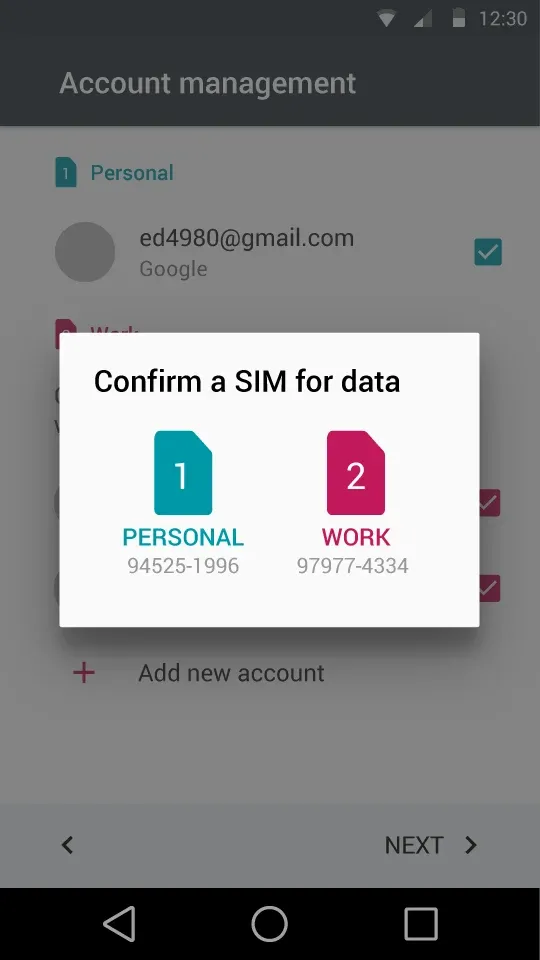
A dialog, Confirm a SIM for data, with two SIM cards to pick from, 1 Personal and 2 Work, each with its number.
A SIM for data
The start of the wizard, the four profiles, and confirming which SIM carries data.

It shipped on every Motorola dual-SIM phone, and the profile stays in Settings afterwards, with the SIM cards screen, so you can change your mind later.
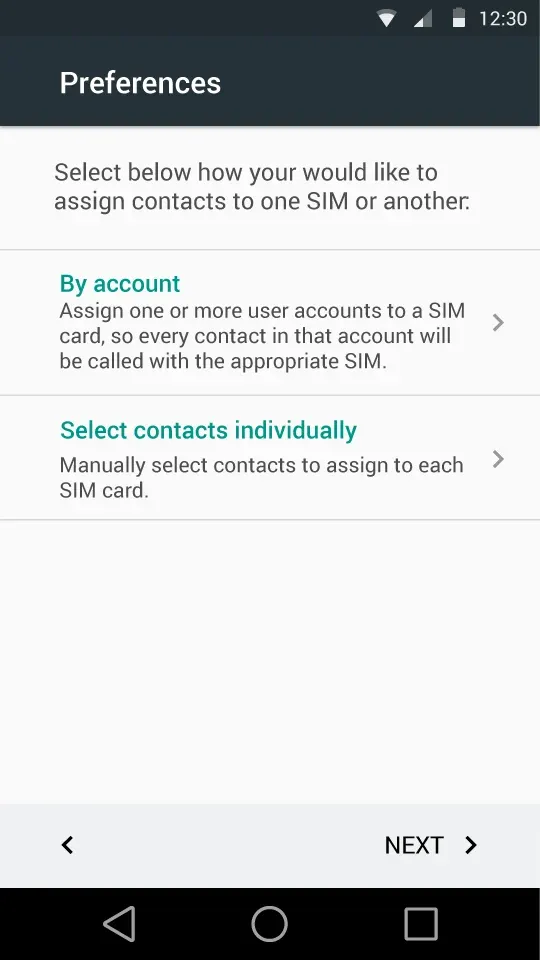
Preferences. Select how you would like to assign contacts to one SIM or another, with two options: by account, or select contacts individually.
Split the contacts
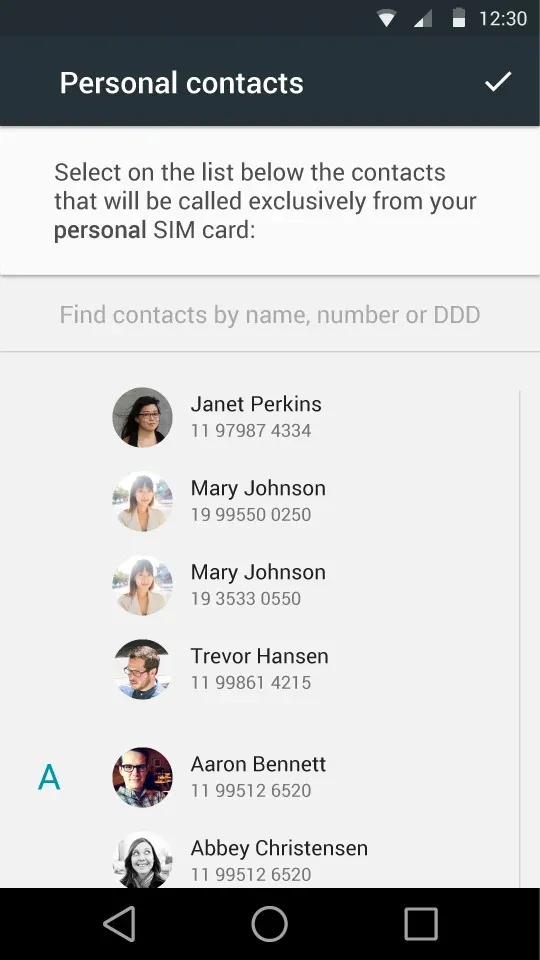
Personal contacts. A search field and a list of contacts with photos and numbers, to pick the ones that should always be called from the personal SIM.
Pick them
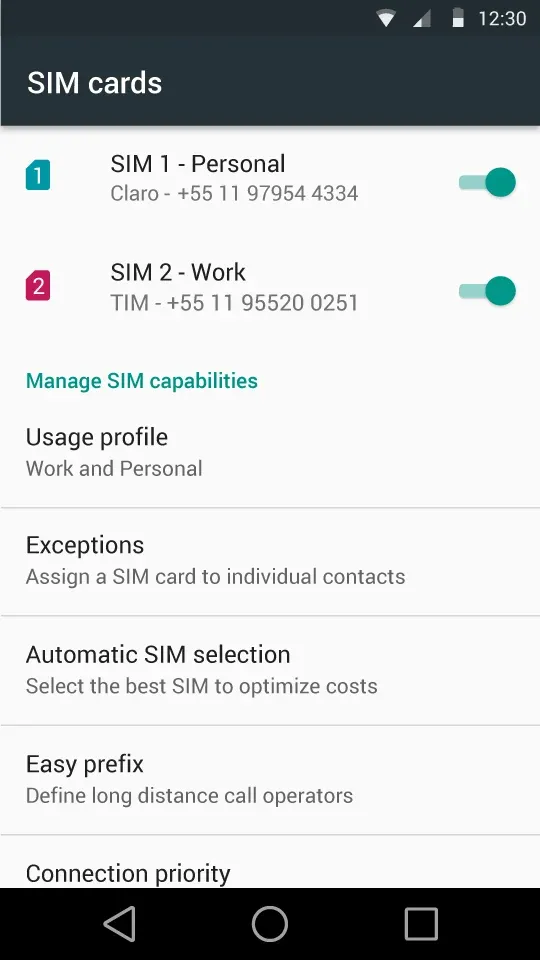
SIM cards in Settings. SIM 1 Personal and SIM 2 Work with toggles, then Usage profile, Exceptions, Automatic SIM selection, Easy prefix and Connection priority.
In Settings
The Personal and professional path: how to split your contacts between the SIMs, picking them one by one, and the SIM cards screen in Settings. The contacts are sample data.
Next in the archiveClearbookI helped found an equity crowdfunding platform and took it from nothing to launch.Read it →